REDWAY BATTERY / KNOWLEDGE
How do you commission a new bank of parallel PM-LV rack batteries, step by step?
Redway Battery Editorial Team
Talk / Battery Q&A
An installer has four new 51.2V 100Ah rack modules for a home system and wants a commissioning routine that avoids the usual first-day alarms.
Direct answer: Treat commissioning as a checklist: confirm all modules are the same model and firmware, bring them to a similar voltage before paralleling, set the DIP addresses, connect power cables of equal length to a common busbar, connect communication cables, power up in the order the manual gives, confirm the inverter sees every module, then set and verify the charge limits. Record baseline readings for later comparison.
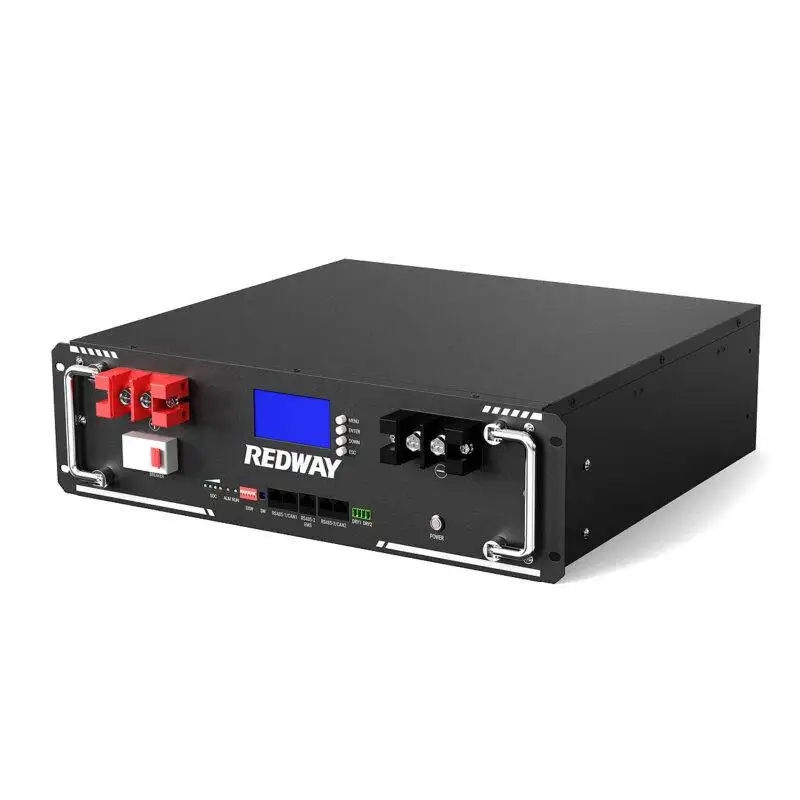
Before you start. Check that every module is the same model and, if possible, the same firmware. The PM-LV51100-3U (51.2V, 58.4V maximum, 40V cut-off) and the PM-LV48100-3U (48V, 54.75V maximum, 37.5V cut-off) have different voltage windows and must not share a bank. The 3U pages list up to 64 modules in parallel; the PM-LV51200-5U lists 16 to 32. This post covers new banks; mixing ages is covered in paralleling mixed-age modules.
Step 1: equalise. Measure each module’s voltage with breakers off. If they differ, charge them to a similar level one at a time before connecting them together, so large balancing currents do not flow between modules at switch-on. Ask Redway what voltage difference is acceptable.
Step 2: address. Set the master and slave addresses on the DIP switches as the manual’s table shows, with the master normally the module connected to the inverter.
Step 3: power cables. With all breakers off, connect each module to the busbar with cables of equal length and cross-section, so current shares evenly. Size the bank cable and its DC overcurrent protection for the inverter’s maximum DC current, following the electrical code that applies (NFPA 70 in the United States). Torque terminals to the specified values.
Step 4: communication. Link modules with the parallel communication cables, then connect the master to the inverter using the correct port and pinout; see connecting to a hybrid inverter.
Step 5: power up and verify. Switch on in the manual’s order, check that each display shows no alarm, and confirm the inverter reads the expected module count and capacity. Set charge voltage and current limits within the battery’s ratings.
Step 6: record. Note each module’s serial number, voltage, state of charge, firmware, DIP setting and terminal torque. These baselines make later faults much easier to diagnose.
↳ Replying to Redway Battery Editorial Team
Include commissioning time, a calibrated meter, torque tools and cables in the quote; a rushed start-up is the most common cause of a return visit.
↳ Replying to Procurement perspective
Equalise voltage, set DIP addresses, use equal-length cables to a busbar and protect the bank cable for the inverter’s maximum DC current.
↳ Replying to Selection/Engineering perspective
Keep the commissioning record with serials, voltages, SoC, firmware and settings, and compare against it at every service visit.
Treat commissioning as a checklist: confirm all modules are the same model and firmware, bring them to a similar voltage before paralleling, set the DIP addresses, connect power cables of equal length to a common busbar, connect communication cables, power up in the order the manual gives, confirm the inverter sees every module, then set and verify the charge limits. Record baseline readings for later comparison.
Verify before ordering: Acceptable voltage difference before paralleling, DIP tables and start-up order are in the Redway manual for each model; request the current version.
Sources checked: NFPA 70 (NFPA).
Editorial Q&A for battery selection and operations. Product figures cited from Redway product pages.
Related products
 48V 100Ah Server Rack Battery
 51.2V 100Ah Server Rack Battery
 51.2V 200Ah 10kWh Server Rack Battery (5U)
Related articles & discussions
- What Is The Difference Between Batteries In Series Vs Parallel?
- What is the Difference Between Parallel and Series LiFePO4 Batteries?
- What Is the Difference Between Series and Parallel LiFePO4 Batteries?
- How to Understand Series vs. Parallel Battery Connections?
- How many lithium batteries can I put in parallel?
- Can I put 2 lithium batteries in parallel?
- Is It Better to Connect Lithium Batteries in Series or Parallel?
- Can All LiFePO4 Batteries Be Connected in Parallel?
- How Do You Charge 3 12V Batteries in Parallel?
- How Many LiFePO4 Batteries Can I Put in Parallel? Key Insights